
If you’ve ever tried to save a YouTube thumbnail, you already know the pain. Right-clicking gets you a blurry preview image. Digging through page source feels like more effort than it’s worth. And half the “free thumbnail downloader” sites out there are cluttered with sketchy ads and five different download buttons, none of which actually give you the real, high-res image.
Turns out there’s a much simpler way to do this, and it takes about ten seconds.
The Tool: YouTube Thumbnail Grabber
The tool I’ve been using is the YouTube Thumbnail Grabber, and it does exactly one thing really well: pulls the highest-quality thumbnail from any YouTube video, instantly, for free.
Here’s what the process actually looks like.
Step 1: Grab the video link
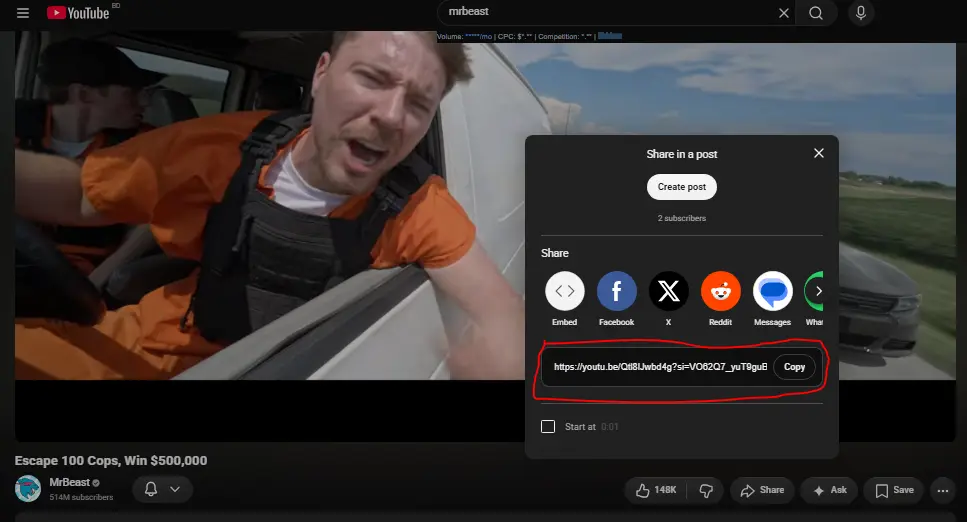
Head to a YouTube video, right-click on it, and hit “Copy link address.” You can use the full URL or just the video ID — both work fine.
Step 2: Paste it into the tool
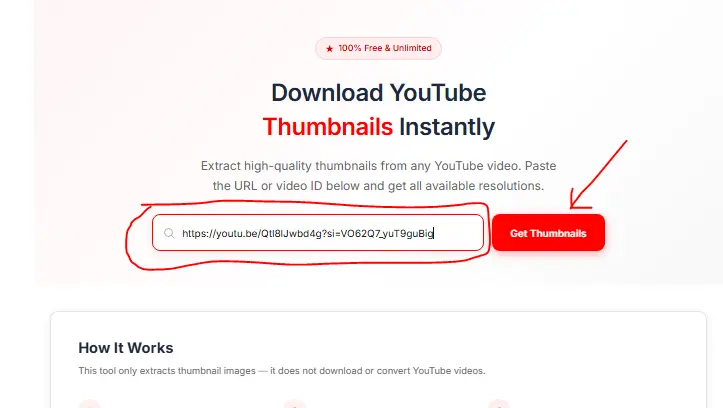
Drop that link into the search bar on the site and hit Get Thumbnails. Within a second or two, the tool pulls the video info and shows you a preview of the thumbnail, already grabbed at the best resolution available.
Step 3: Download it
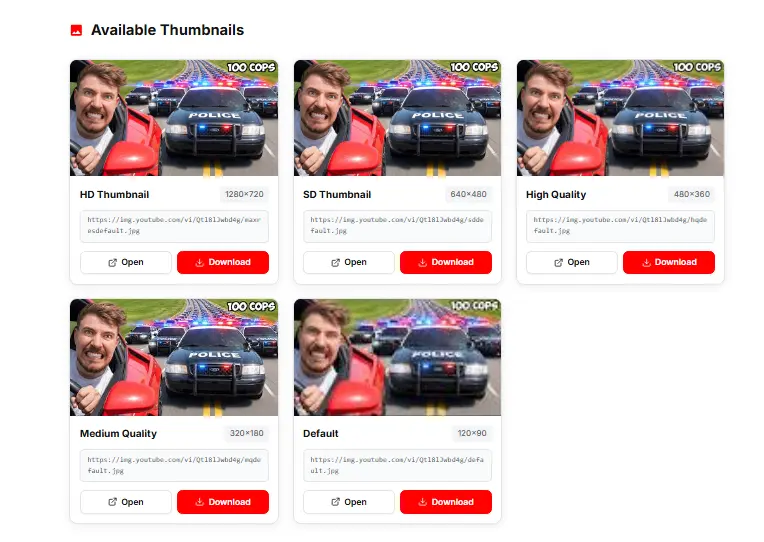
Hit the download button and the thumbnail saves straight to your device. No right-clicking gymnastics, no hunting through source code, no guessing which of five ad-covered buttons actually triggers the real download.
If you want a bit more control, there’s an advanced options section that lets you:
- Download every available quality/resolution
- Copy the direct URL of the thumbnail
- Open the image in a new tab
That extra flexibility comes in handy if you’re building out reference folders, sending thumbnail options to a client, or just comparing a bunch of design styles side by side.
Why bother downloading thumbnails at all?
Here’s the thing — as a creator, this is a tool I didn’t know I needed until I needed it.
Studying other people’s thumbnails is genuinely one of the fastest ways to improve your own click-through rate. Look at what’s working in your niche: what colors are popping, what facial expressions or objects are grabbing attention, what text styles make people stop scrolling. Building a “swipe file” of thumbnails you love is one of the best ways to fuel your own design inspiration.
And then there’s the more embarrassing reason: I can’t count how many times I’ve lost the final version of a thumbnail I made for an old video. Months later I need it again, and instead of digging through old design files, I just pull the thumbnail straight back off YouTube with this tool.
The bottom line
Your video doesn’t matter if nobody clicks on it. A strong thumbnail is the first step to earning that click, and studying good ones — including your own — is how you get better at making them.
So if you need to grab a thumbnail: go to the YouTube Thumbnail Grabber, paste the link, download in full quality, and get back to building your thumbnail game.
Bonus: if you’re into thumbnails, I also built a little thumbnail guessing game a while back — it shows you two thumbnails and asks you to pick which one got more views. It’s a fun, quick way to sharpen your eye for what actually drives clicks. Link’s in the description if you want to try it out.